/paid-media/goalsGoals
Set the targets your account is supposed to hit, CPA, ROAS, lead volume, spend pacing, at account, platform, or campaign level, and let Zocket track them continuously. Every goal shows On track, At risk, or Breached, and the Overview page's Goal highlight paces against these numbers.
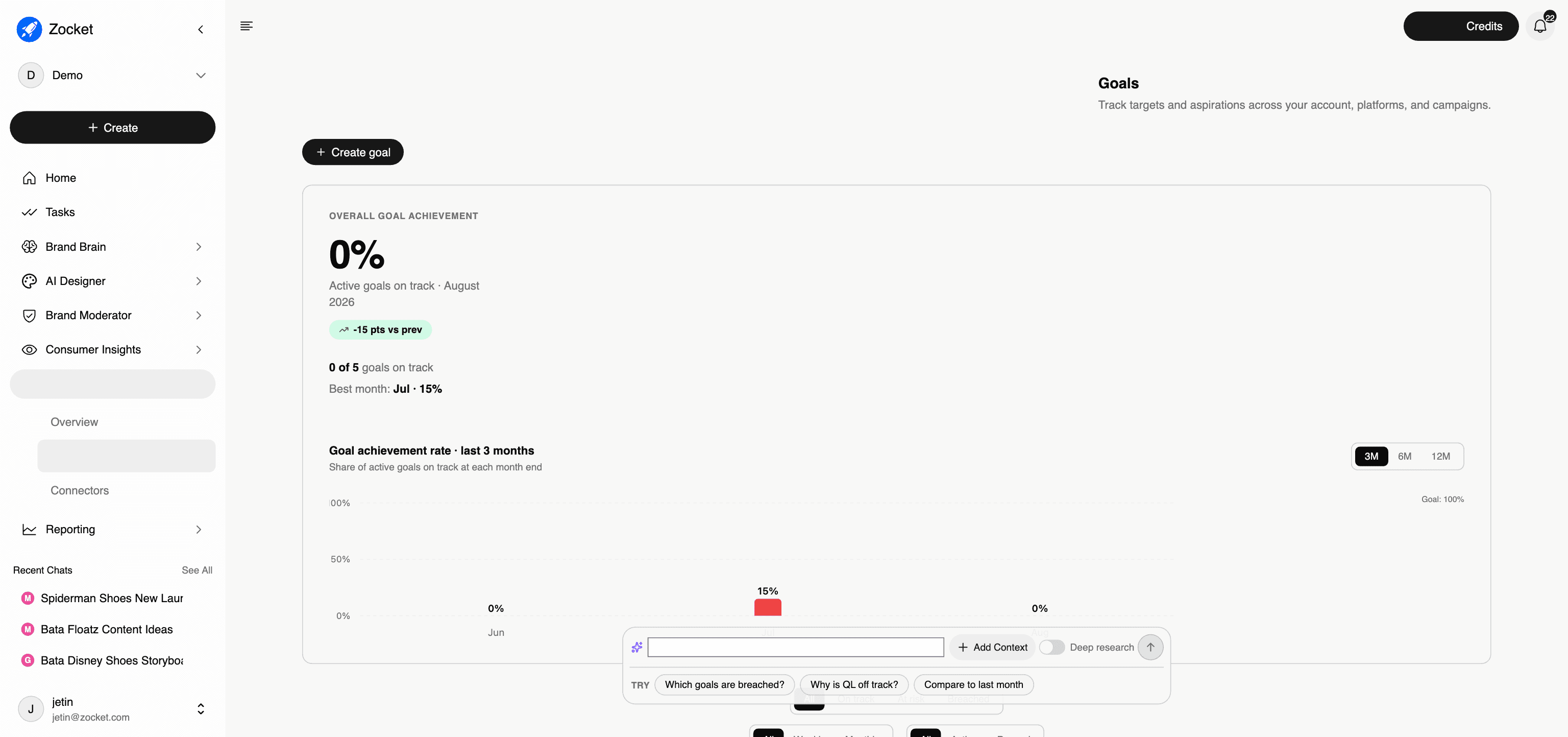
What this does for you: Set the targets your account is supposed to hit, CPA, ROAS, lead volume, spend pacing, at account, platform, or campaign level, and let Zocket track them continuously. Every goal shows On track, At risk, or Breached, and the Overview page's Goal highlight paces against these numbers.
What's on the screen:
- Overall goal achievement: the share of active goals on track this month, with points vs the previous month
- Goal achievement rate chart: month-end trend over 3, 6, or 12 months against the 100% line
- Create goal: define scope (account / platform / campaign), the metric, the target, and cadence
- Filters by state (On track / At risk / Breached / Scheduled), cadence (Weekly / Monthly), and status (Active / Paused)
- The goals table: goal, scope, current value, target, progress, status, created date
Why it matters: This is what makes the rest of Paid Media accountable. Insights and dashboards tell you what happened; Goals is the agreed definition of "good," so the AI can say "you're behind" without a human having to check. In onboarding, the POC KPI one-pager's targets should be entered here on day one, the platform then reports POC success automatically.
When to come here: During onboarding, to encode the client's targets. Monthly, to review the achievement trend and reset targets. When a goal flips to At risk, that's your cue to open Chat and ask why.
The click-path, step by step
1Goal achievement 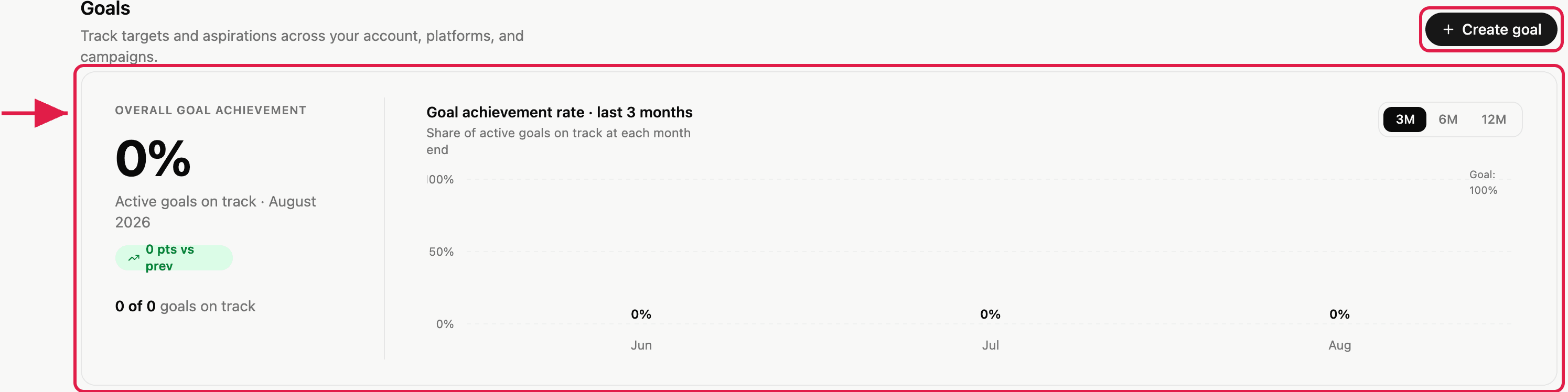
2Filter goals 
- ConnectorsThe single place where you wire Zocket up to your ad accounts. Connect Google Ads and Meta Ads (more platforms over time) via OAuth, and every analytics surface in the platform, Creative Audit, Paid Media Chat, Reports, starts working.
- OverviewThe morning screen for paid media. Four stacked layers on one page: headline metrics against target, AI-written highlights split into Win / Risk / Watch / Goal, a ranked Signals feed of what changed and what to do about it, and a chat with a Deep Research toggle.