/paid-media/overviewOverview
The morning screen for paid media. Four stacked layers on one page: headline metrics against target, AI-written highlights split into Win / Risk / Watch / Goal, a ranked Signals feed of what changed and what to do about it, and a chat with a Deep Research toggle.
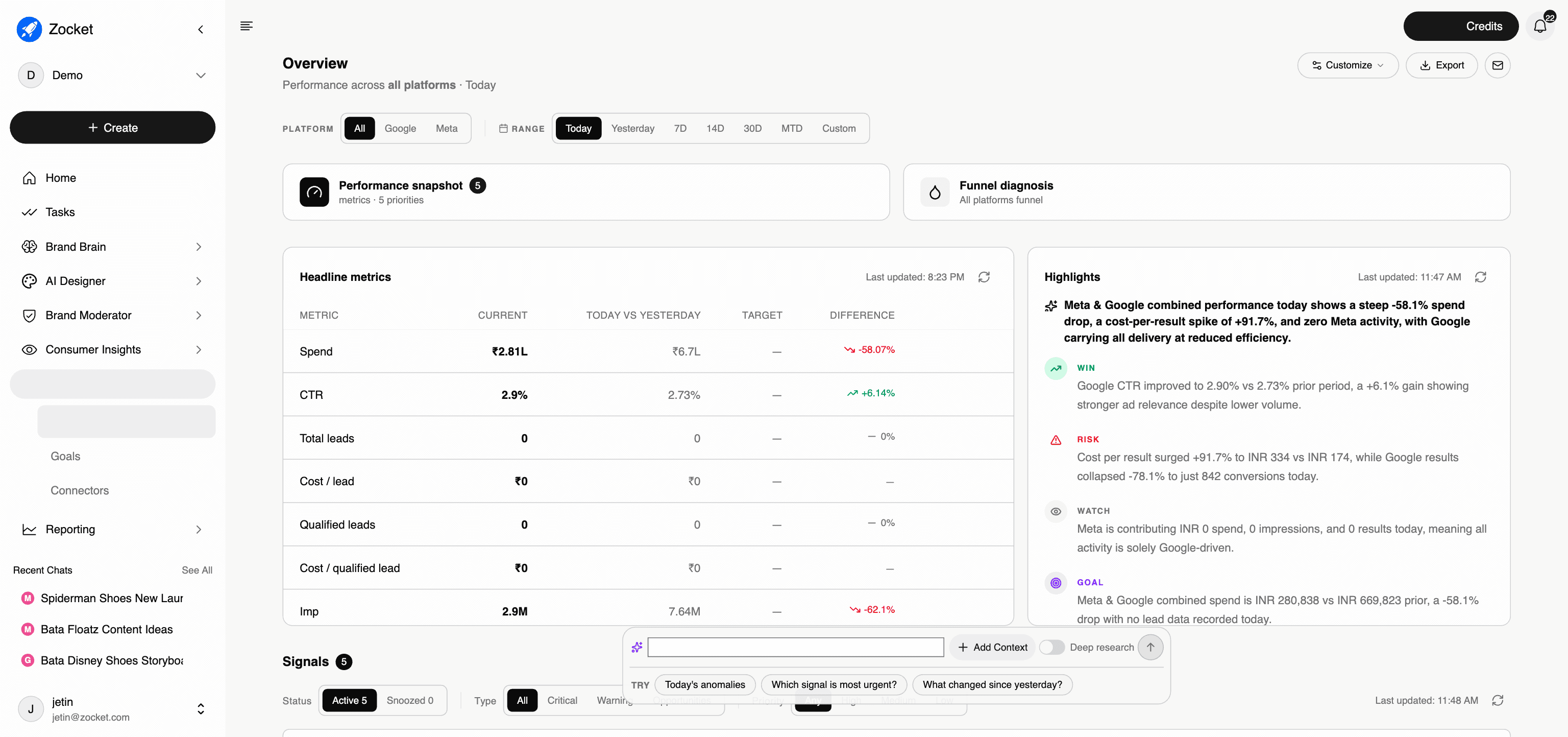
What this does for you: Answers "how are my ads doing right now" across every connected platform, then tells you what to do about it. The page is four layers, top to bottom, and each one narrows from measurement to decision.
Filters at the top: platform (All / Google / Meta) and range (Today, Yesterday, 7D, 14D, 30D, MTD, Custom), plus Customize, Export and email controls.
1. Headline metrics
A table of the metrics that matter with four columns: current, today vs yesterday, target, and difference. Typical rows are Spend, CTR, Total leads, Cost per lead, Qualified leads, Cost per qualified lead, Impressions, Clicks, Results and Cost per result.
Two things to point out in a demo. First, the target column: this is where Goals surface, so the table reads as performance against intent rather than raw numbers. Second, every row has a Task button, so a metric moving the wrong way becomes owned work in one click rather than a note someone forgets.
2. Highlights
The AI's written read of the account, tagged into four kinds:
- WIN what is working and by how much
- RISK what is deteriorating, with the size of the move
- WATCH something anomalous that is not yet a problem, for example a platform contributing zero spend
- GOAL progress against the targets you set
This is the paragraph a campaign manager used to write by hand every morning.
3. Signals
The ranked feed of what changed and what to do, and the part of the page most worth demoing.
- Filters: Status (Active / Snoozed), Type (All / Critical / Warning / Opportunities), Priority (Any / High / Medium / Low), with a live count and last-updated timestamp
- Each signal names the platform and the entity level it applies to: CAMPAIGN, AD GROUP or AD, so you know exactly where to act
- A headline stating the movement in plain numbers, for example conversions falling from 1,907 to 445 with ROAS collapsing and spend down
- A one-line diagnosis with a recommended action, for example "pause or investigate budget allocation immediately"
- Supporting metrics underneath (conversions, ROAS, cost per conversion, conversion-rate drop) so the claim is evidenced rather than asserted
- Task and Analyse on every signal: Task assigns it, Analyse opens it in chat for a deeper read
Signals cascade by design. A campaign-level collapse usually appears again at ad-group and ad level, which tells you whether the problem is budget allocation or one specific creative.
4. Chat
"Ask anything, attach a playbook, or paste a CSV", with a Deep Research toggle for heavier multi-step investigations and suggested prompts (Today's anomalies, Which signal is most urgent?, What changed since yesterday?).
What changed: Overview used to carry four tabs (Signals, Dashboards, Reports, Alerts). Dashboards, Reports and Alerts moved to the top-level Reporting section along with the Playbook. Signals stayed here, because it is the diagnostic layer of the morning screen rather than a saved artefact. AI Paid Media is now three screens: Overview, Goals, Connectors.
When to come here: First thing every morning. Before any budget decision. Whenever someone asks "how are the ads doing?"
Positioning note. The experience is insight-first: it diagnoses, recommends and drafts. Pushing changes back to Meta and Google from inside the platform is a tracked customer ask, not a shipped capability. See Never Commit before you demo this.
The click-path, step by step
1Platform and date filters 
2Headline metrics 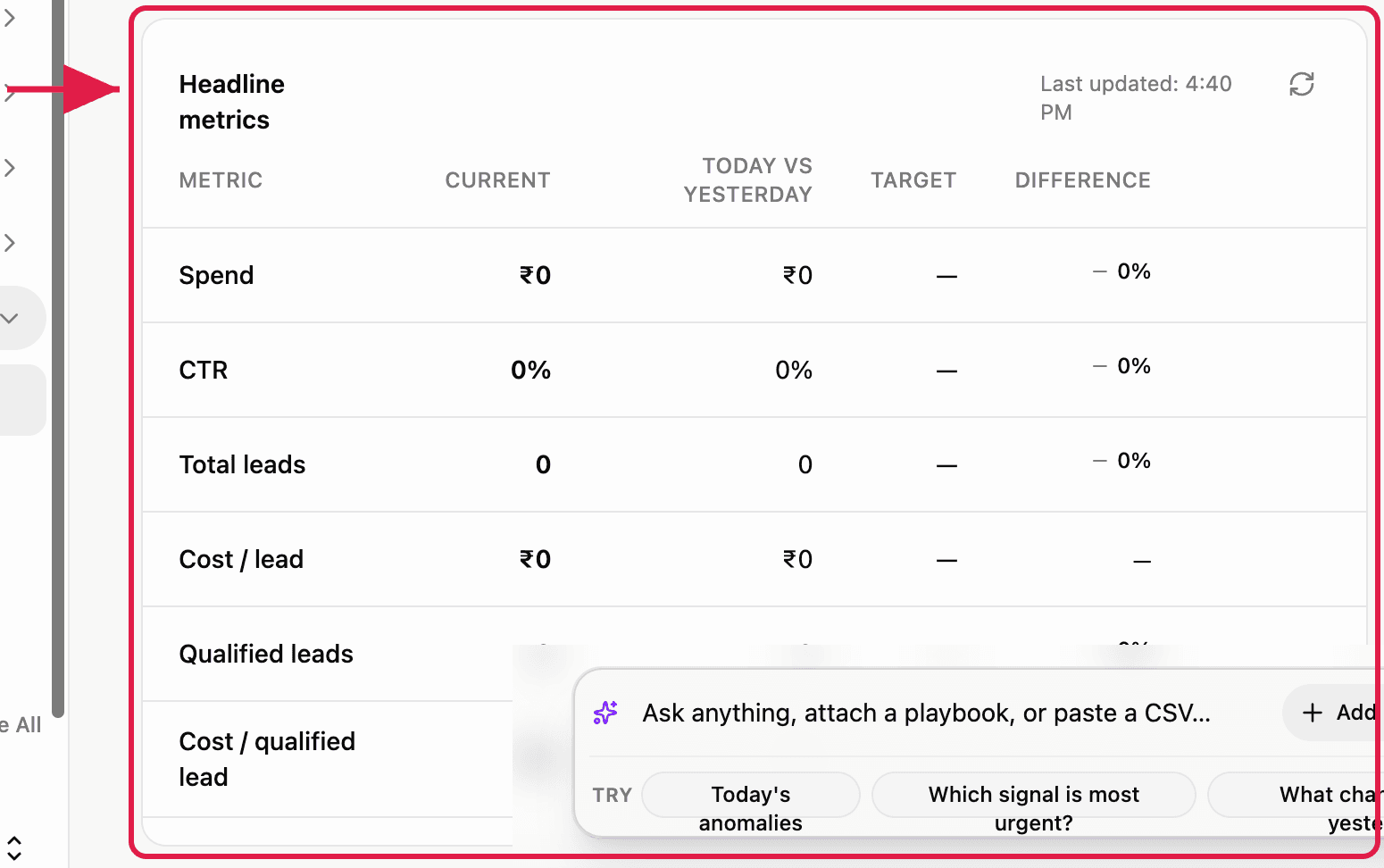
3AI highlights 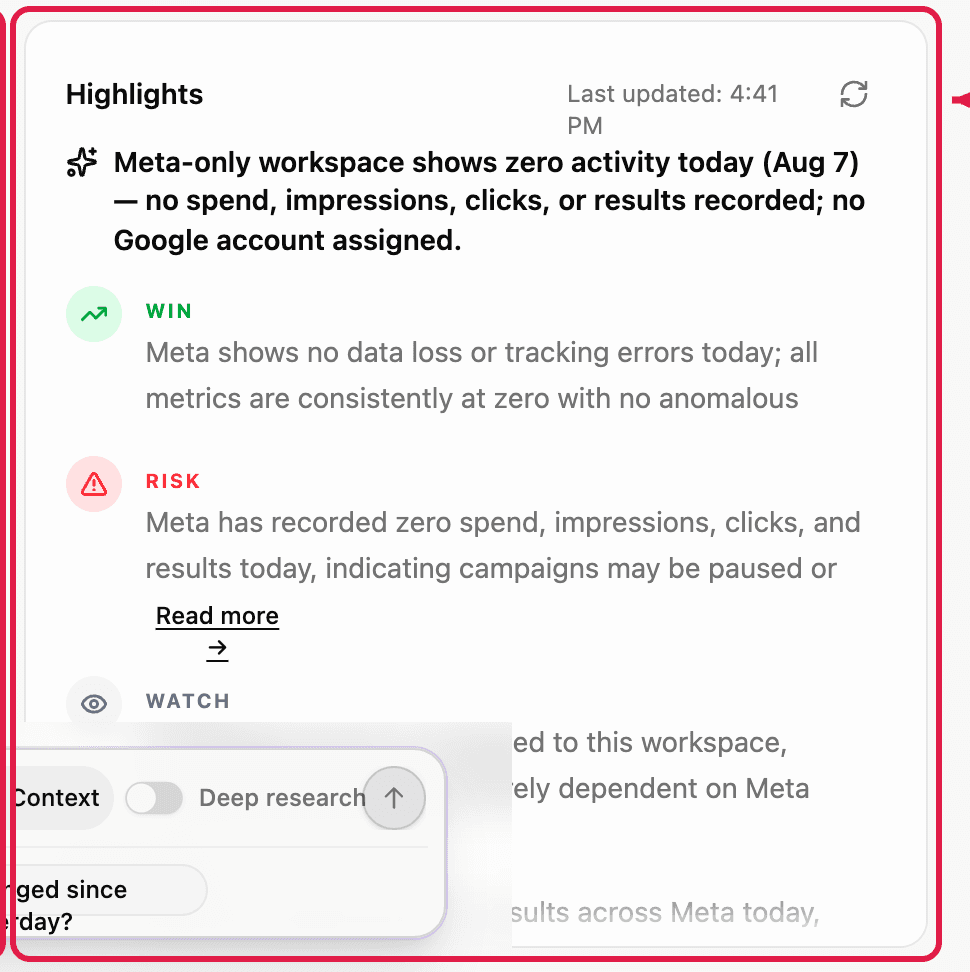
4Signals: the ranked feed of what changed and what to do, filtered by status, type and priority. Each signal names the entity (campaign, ad group or ad), states the movement, gives a one-line diagnosis with a recommended action, and shows the supporting metrics 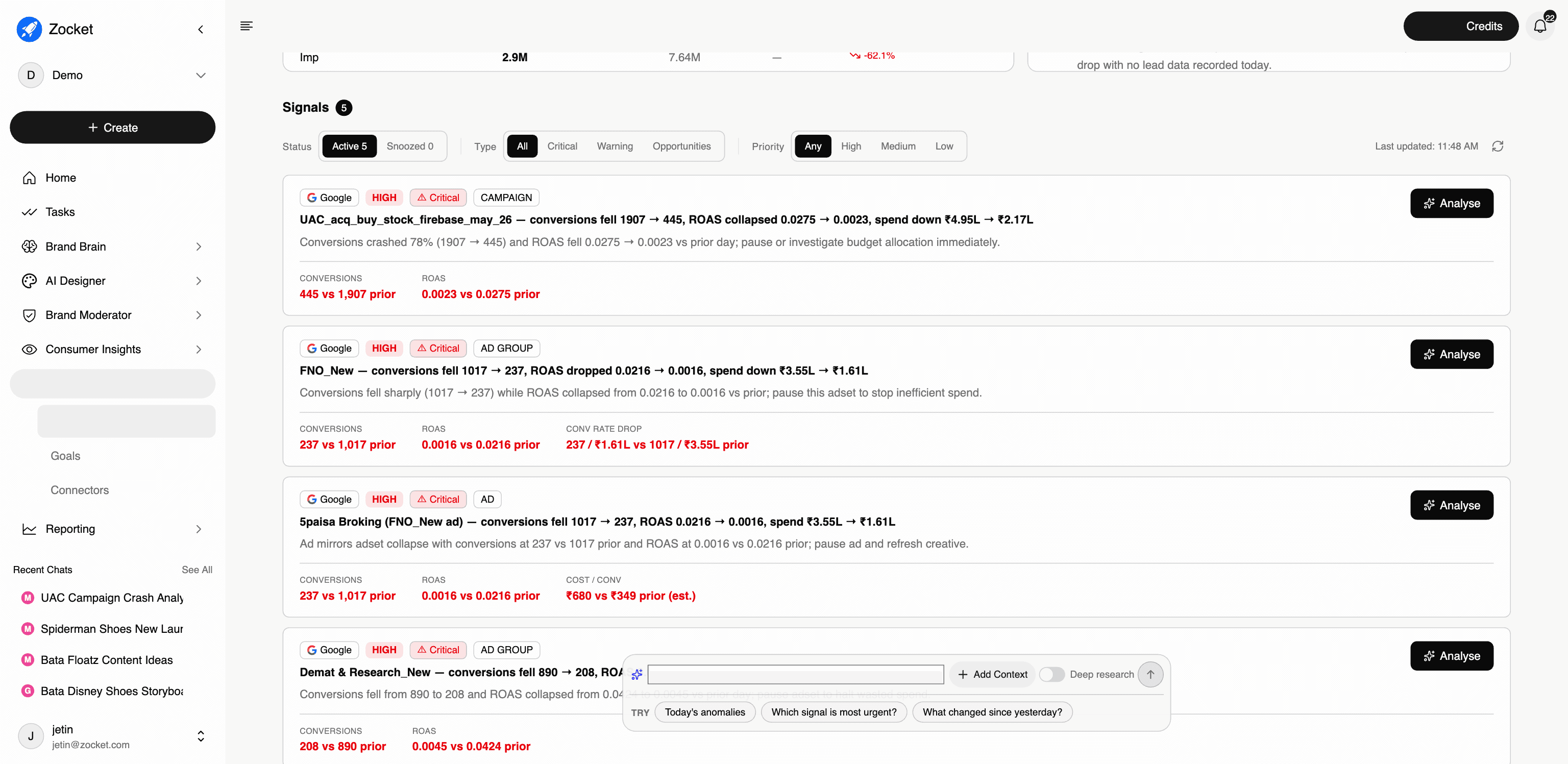
- ConnectorsThe single place where you wire Zocket up to your ad accounts. Connect Google Ads and Meta Ads (more platforms over time) via OAuth, and every analytics surface in the platform, Creative Audit, Paid Media Chat, Reports, starts working.
- GoalsSet the targets your account is supposed to hit, CPA, ROAS, lead volume, spend pacing, at account, platform, or campaign level, and let Zocket track them continuously. Every goal shows On track, At risk, or Breached, and the Overview page's Goal highlight paces against these numbers.