/activityActivity
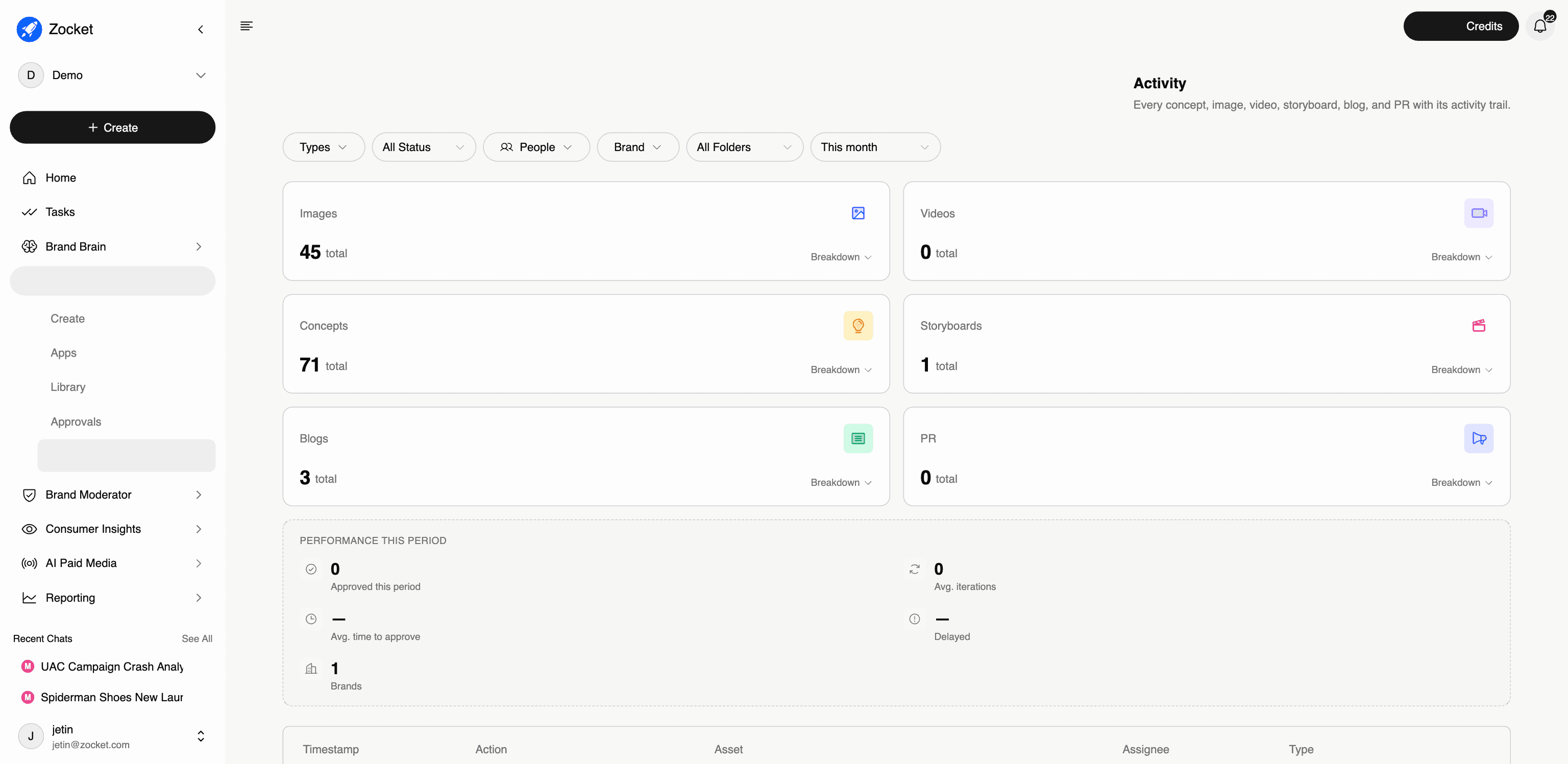
The audit trail for creative production. Every concept, image, video, and storyboard with its full activity history, who did what, when, and how long approvals took. This is where a creative lead sees whether production is actually flowing or silently stuck.
What this does for you: The audit trail for creative production. Every concept, image, video, and storyboard with its full activity history, who did what, when, and how long approvals took. This is where a creative lead sees whether production is actually flowing or silently stuck.
What's on the screen:
- Totals by asset type, Concepts, Images, Storyboards, Videos: each with a breakdown
- Performance this period: approved count, average iterations per asset, average time to approve, delayed items, and brands covered
- A filterable activity table: timestamp, action, asset, assignee, type
- Filters for status, people, brand, folder, and time period
Why it matters: "How long does a creative take from brief to approved?" used to be a gut-feel answer. Activity makes it a number, average iterations and average time-to-approve per period, per brand. That's also your evidence when a client asks about turnaround SLAs.
When to come here: Weekly as a creative lead, to spot delayed assets and iteration-heavy briefs. During client QBRs, to report actual production throughput. When an approval seems stuck, to see exactly where it stopped.
The click-path, step by step
1Filter your activity 
2Type counts and performance 
3Activity trail 
- ApprovalsThe creative approval queue. Every image, video, concept, or storyboard your team submits lands here with a clear status, Pending, Approved, or Rejected, and a named approver. Configured Flows let you define who must sign off on what, so nothing ships without the right eyes on it.
- Apps26 specialized AI creative agents, each tuned for one job. Instead of one generic image generator, you pick the specialist: an Image Ad Creator for statics, a UGC Video Creator for influencer-style videos, a Localization Studio for regional adaptation, a Compliance Checker for brand-rule audits. Specialists beat generalists, each app knows what good looks like for its format.
- CreateThe starting point. You describe what you want in plain English ("Diwali campaign for our women's footwear line, festive but premium"), the system asks a few clarifying questions, and it generates creative concepts grounded in your brand DNA. The "Bacon" agent picks the right model, format, and brand context. You don't have to think about prompts.
- LibraryThe governed home for every approved asset, generated by the AI, uploaded by your team, or pushed in from an agency. Replaces the chaos of Drive folders, Figma libraries, and a DAM that nobody updates. Search by natural language ("blue product shot, festive, no model") or by image similarity.