/ai-designer/appsApps
26 specialized AI creative agents, each tuned for one job. Instead of one generic image generator, you pick the specialist: an Image Ad Creator for statics, a UGC Video Creator for influencer-style videos, a Localization Studio for regional adaptation, a Compliance Checker for brand-rule audits. Specialists beat generalists, each app knows what good looks like for its format.
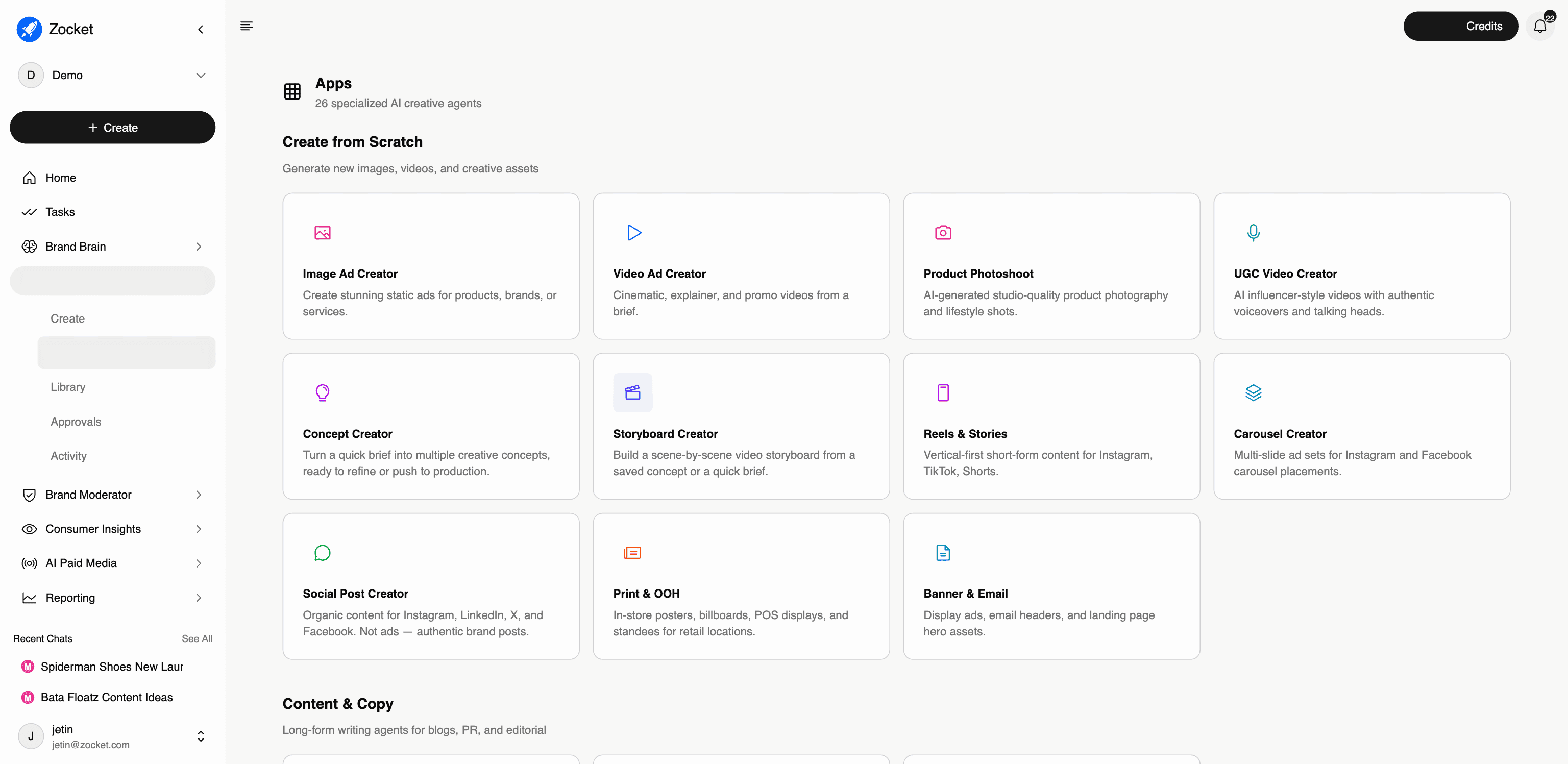
What this does for you: 26 specialized AI creative agents. Each tuned for one job. Instead of one generic image generator, you pick the specialist: an Image Ad Creator for statics, a UGC Video Creator for influencer-style videos, a Localization Studio for regional adaptation, a Compliance Checker for brand-rule audits. Specialists beat generalists, each app knows what good looks like for its format.
The four groups, and every app in them:
Create from Scratch, generate new images, videos, and creative assets:
- Image Ad Creator: static ads for products, brands, or services
- Video Ad Creator: cinematic, explainer, and promo videos from a brief
- Product Photoshoot: studio-quality product photography and lifestyle shots, no physical shoot
- UGC Video Creator: AI influencer-style videos with voiceovers and talking heads
- Concept Creator: turn a quick brief into multiple creative concepts to refine or push to production
- Storyboard Creator: scene-by-scene video storyboard from a concept or brief
- Reels & Stories: vertical-first short-form for Instagram, TikTok, Shorts
- Carousel Creator: multi-slide ad sets for Instagram and Facebook
- Social Post Creator: organic brand posts (not ads) for Instagram, LinkedIn, X, Facebook
- Print & OOH: in-store posters, billboards, POS displays, standees
- Banner & Email: display ads, email headers, landing page hero assets
Content & Copy, long-form writing agents for blogs, PR, and editorial:
- Blog / PR Creator: long-form blogs and publish-ready PR articles
- Content Discovery: explore what competitors are publishing and turn it into your next ad
- Content Planner: plan the content calendar around real market events; the agent schedules everything
Transform & Adapt, resize, localize, and optimize existing creatives:
- Image Resizer: resize for any platform; upload or paste a URL and pick dimensions
- Image Rescaler: change resolution without regenerating; only the canvas extends
- Variant Generator: multiple creative variations from a single concept
- Platform Adapter: auto-optimize creatives for Meta, Google, TikTok, Pinterest
- Localization Studio: translate and culturally adapt creatives for regional markets
- Background Studio: remove, replace, or enhance product backgrounds
- Compliance Checker: audits uploaded creatives against your brand guide and rule packs, flags issues by severity, applies auto-fixes where possible
Competitive & Commerce, counter competitors and win marketplaces:
- A+ Marketplace: A+ / Enhanced Brand Content listings for Amazon, Flipkart, and other marketplaces
- Amazon Brand Store: modular Brand Store assets: hero banners, product tiles, lifestyle modules
- Above-the-Fold Creator: the conversion-optimized first-visual pack for marketplace listings
- Competitive Cloner: analyze competitor ads and generate on-brand alternatives
- Seasonal Campaign: festival and event creatives (Diwali, Back to School, Monsoon Sale) with themed templates
Where this lands commercially: The specialist groups map cleanly onto verticals, Print & OOH and the marketplace agents (A+ Marketplace, Amazon Brand Store, Above-the-Fold Creator) are the retail hook; Localization Studio is the BFSI branch-and-language hook; the Content & Copy group is what a broking or SEO-led buyer is actually buying. See Industry Plays.
When to come here: When you know the format you need and want the specialist for it. When localizing a master creative across regions. When you need marketplace content (Amazon/Flipkart). When you want to answer a competitor's campaign with your own on-brand version.
The click-path, step by step
1The Apps library 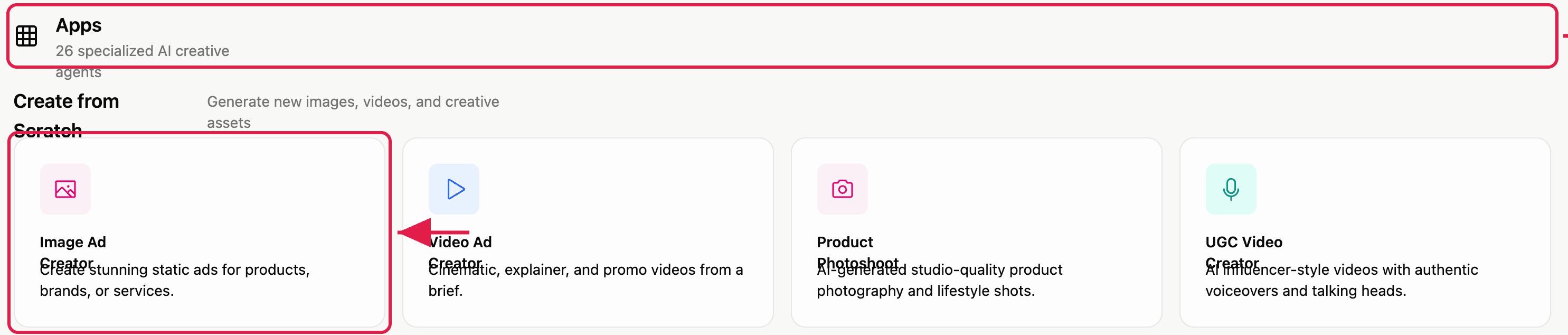
2Launch an app 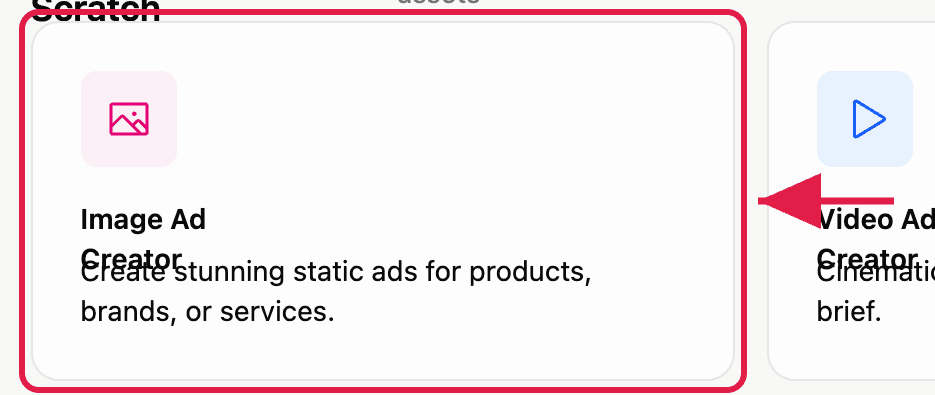
Every creative agent, one guide each
Each app has its own brief modal and option set. These are the customer-facing how-tos, useful for onboarding, and for answering “can it do X?” precisely.
- Image Ad Creator13 ↗
- Video Ad Creator14 ↗
- Product Photoshoot15 ↗
- UGC Video Creator16 ↗
- Concept Creator17 ↗
- Storyboard Creator18 ↗
- Reels & Stories19 ↗
- Carousel Creator20 ↗
- Social Post Creator21 ↗
- Print & OOH Studio22 ↗
- Banner & Email23 ↗
- Blog / PR Creator24 ↗
- Content Discovery25 ↗
- Content Planner26 ↗
- Image Resizer27 ↗
- Image Rescaler28 ↗
- Variant Generator29 ↗
- Platform Adapter30 ↗
- Localization Studio31 ↗
- Background Studio32 ↗
- Compliance Checker33 ↗
- A+ Marketplace34 ↗
- Amazon Brand Store35 ↗
- Above-the-Fold Creator36 ↗
- Competitive Cloner37 ↗
- Seasonal Campaign38 ↗
- ActivityThe audit trail for creative production. Every concept, image, video, and storyboard with its full activity history, who did what, when, and how long approvals took. This is where a creative lead sees whether production is actually flowing or silently stuck.
- ApprovalsThe creative approval queue. Every image, video, concept, or storyboard your team submits lands here with a clear status, Pending, Approved, or Rejected, and a named approver. Configured Flows let you define who must sign off on what, so nothing ships without the right eyes on it.
- CreateThe starting point. You describe what you want in plain English ("Diwali campaign for our women's footwear line, festive but premium"), the system asks a few clarifying questions, and it generates creative concepts grounded in your brand DNA. The "Bacon" agent picks the right model, format, and brand context. You don't have to think about prompts.
- LibraryThe governed home for every approved asset, generated by the AI, uploaded by your team, or pushed in from an agency. Replaces the chaos of Drive folders, Figma libraries, and a DAM that nobody updates. Search by natural language ("blue product shot, festive, no model") or by image similarity.