/consumer-insights/mentionsMentions
The raw stream underneath the charts, every tracked brand mention across channels and conversations, searchable by keyword and filterable by date. This is where you go to read the actual posts behind a sentiment dip, rather than trusting the aggregate.
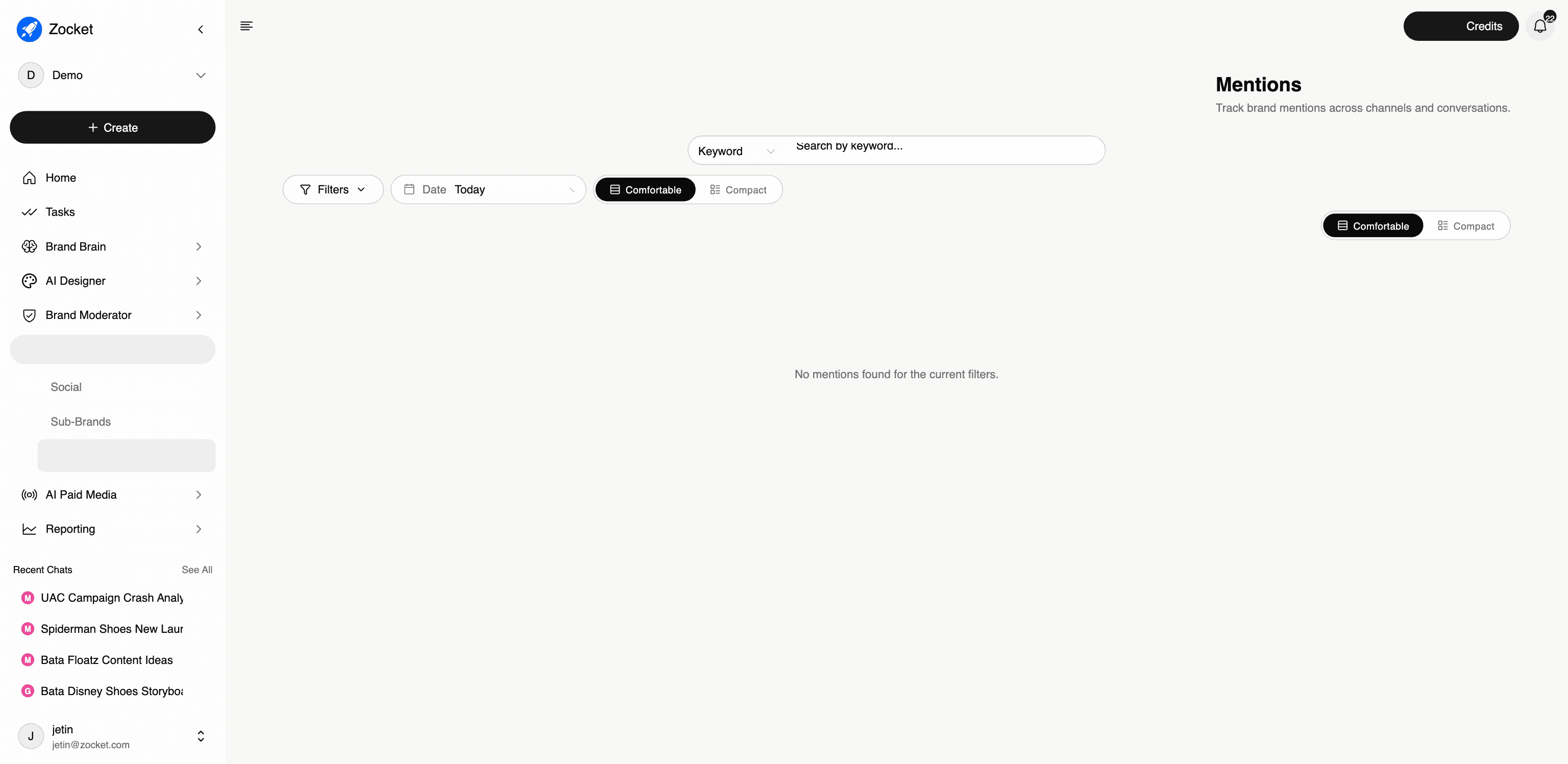
What this does for you: Gives you the underlying evidence. Social Intelligence tells you sentiment moved; Mentions is where you read the actual posts that moved it. It's a listening feed, distinct from the Brand Moderator queue, Mentions is for reading and understanding, the Review Queue is for replying.
What's on the screen:
- Keyword search across mentions, with a keyword/field selector
- Filters and a date range
- Comfortable / Compact density toggle, compact for scanning volume, comfortable for reading
- The mention stream itself, per channel and conversation
Why it matters: Every credible brand-health conversation ends with "show me." An aggregate sentiment score that can't be drilled into gets challenged in the room. This is also the screen that answers the "monitor platforms where we don't have an official account" requirement, mentions are tracked from public data, not from an owned handle.
Distinguish it clearly on calls: Mentions ≠ Review Queue. If the prospect's need is "we have to reply within 30 minutes," that's Brand Moderator. If the need is "we have to know what's being said and why the number moved," that's here.
When to come here: Investigating a sentiment dip or a topic spike. Pulling verbatims for a research readout. Checking coverage on a platform where you have no presence.
The click-path, step by step
1Search and filter mentions 
2Mentions feed 
- SocialSocial Intelligence, the main Consumer Insights screen. Four headline tiles (topic spikes, estimated reach, net sentiment, mentions) sit above four tabs that each answer a different question: Share of Voice (where do we rank), Sentiment (how do people feel), Topics (what spiked and why), Channels (where is it happening).
- Sub-BrandsShows you how each sub-brand line is performing in customer perception. Useful when the master brand looks healthy but one sub-brand is silently dragging, a common pattern in multi-line consumer brands.