/reporting/alertsAlerts
Scheduled delivery of reports to the people who need them. Each alert wraps a saved report with a cadence, a channel, and a recipient list, daily or weekly, by email, and keeps a run history so you can prove it actually went out.
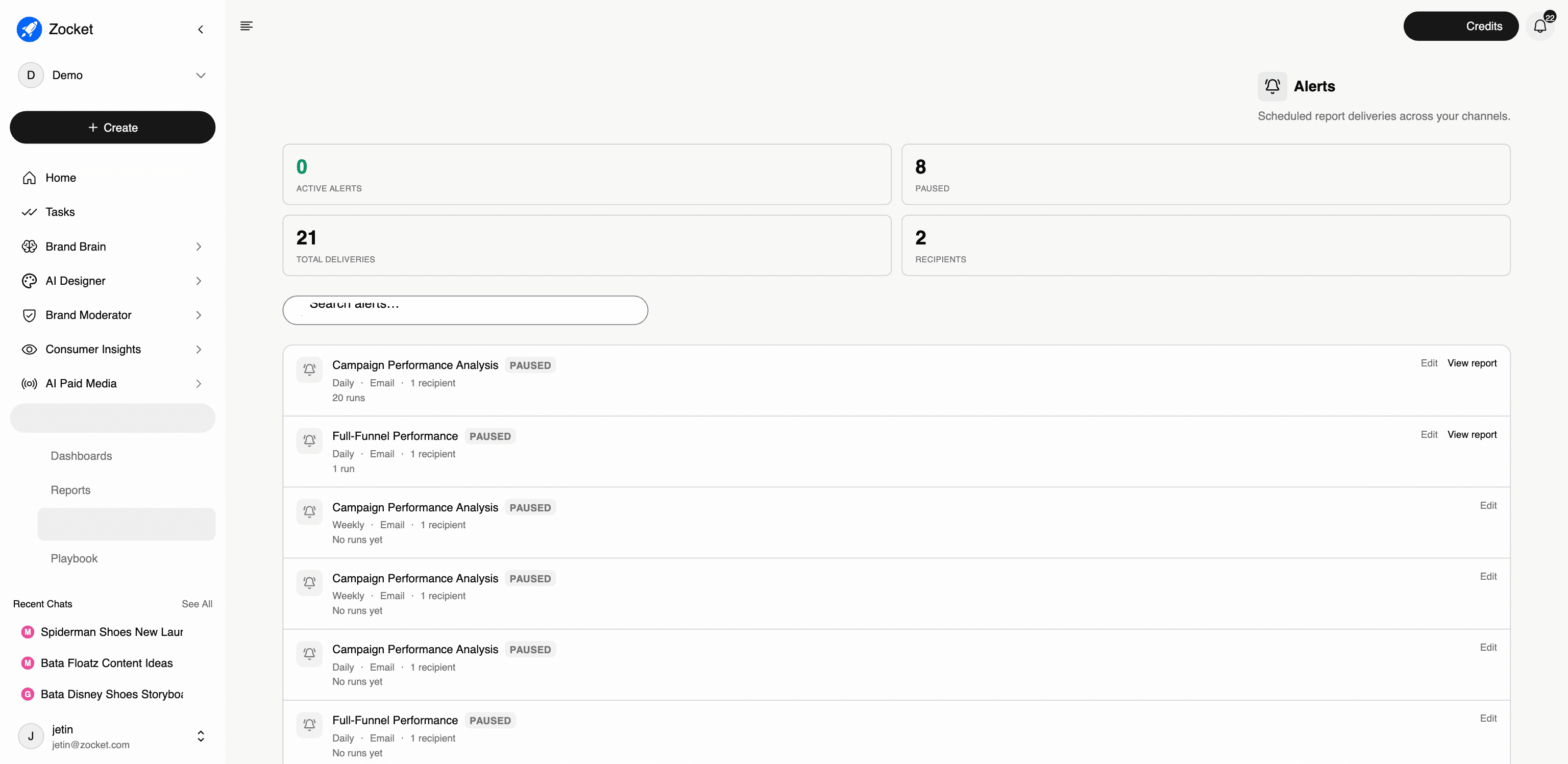
What this does for you: Gets the analysis in front of a human without anyone logging in. An alert is a saved report plus a schedule, a channel, and recipients, and it keeps a delivery record.
What's on the screen:
- Counters for active alerts, paused, total deliveries, and recipients: a fast health check on whether your reporting is actually running
- A list of every alert showing cadence (Daily / Weekly), channel (Email), recipient count, and how many times it has run
- Edit on every alert; View report to jump to the underlying analysis
- Paused alerts stay visible rather than disappearing, so nobody assumes a report is live when it isn't
Why it matters: This is what several accounts are explicitly buying. Revolut India's requirement is a weekly Friday report plus a monthly summary that replaces their Sprout Social format; Numeric UPS wants custom report scheduling shared with a multi-stakeholder agency; Dabur wants an executive summary with email triggers for actionable items. In each case the schedule is the product.
Honest framing: Email is the delivery channel on the screen today. If a prospect asks for Slack, WhatsApp, or a push channel, take it as a requirement. Don't assume it.
When to come here: After building a report anyone needs to see on a cadence. When auditing whether stakeholders are actually receiving what you promised in the SOW.
The click-path, step by step
1Alerts landing 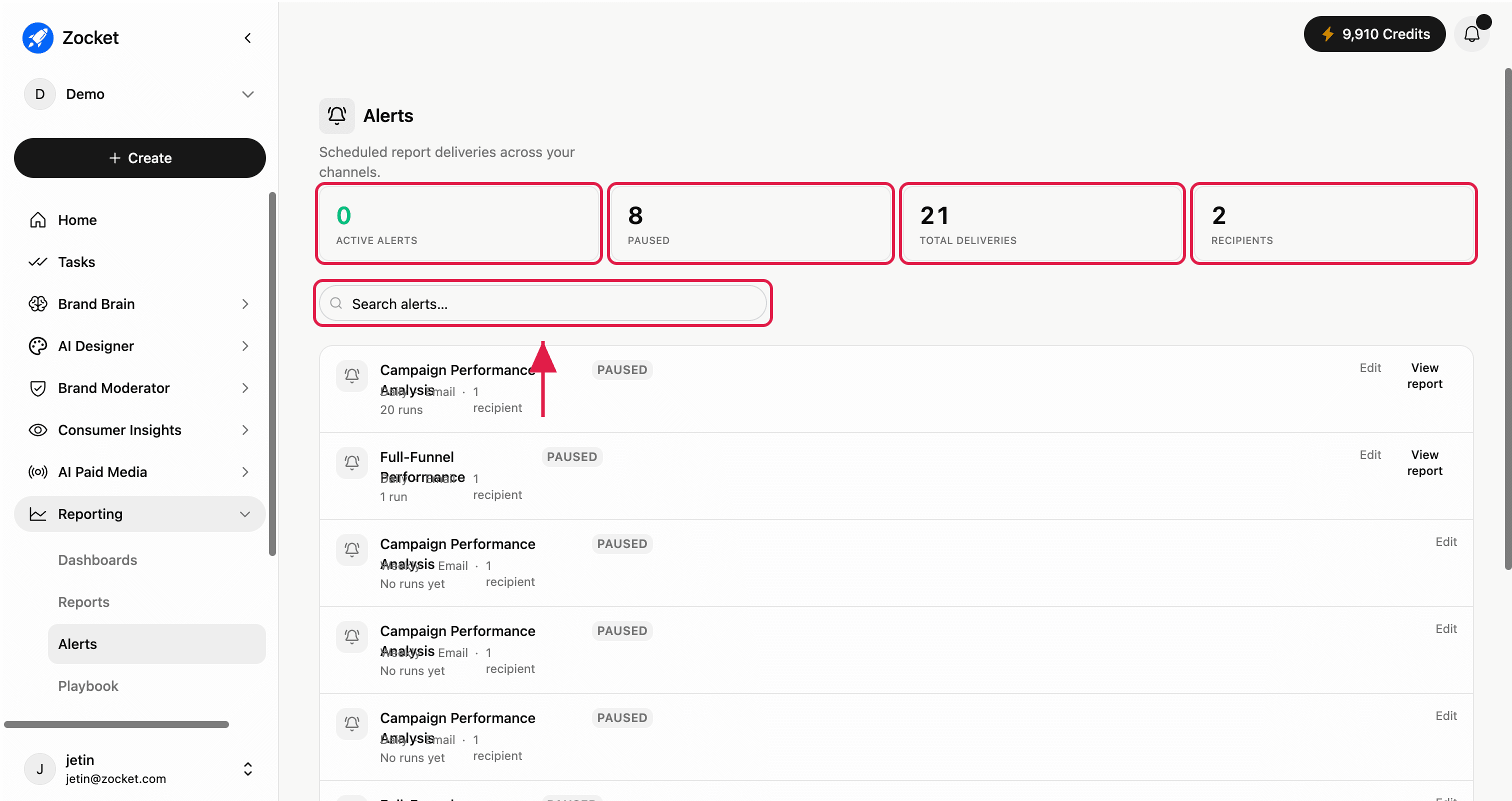
2Alert card detail 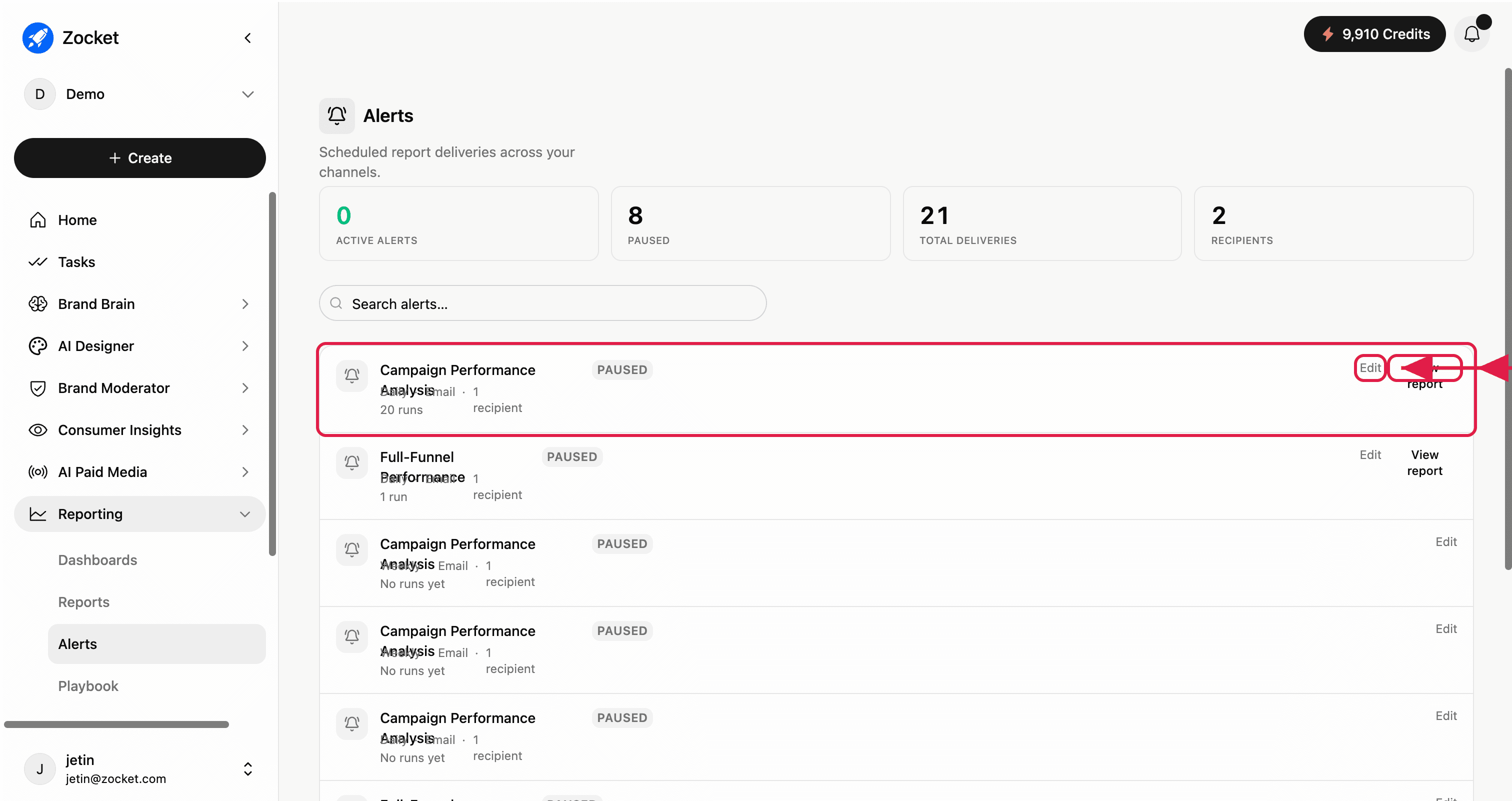
- DashboardsLive metric cards built by prompt, across every AI module, not just paid media. Describe the dashboard you want, Zocket builds it, and it stays live. Star the ones you use daily, share them with stakeholders, or open any dashboard back in chat to keep interrogating it.
- PlaybookThe performance engine, prompt library, and AI chat, all in one place. A curated set of vetted diagnostic prompts you can run against your connected ad accounts: pick a prompt that senior performance marketers actually run, audience overlap, lookalike health, interest vs broad audit, retargeting funnel depth, hit "Run in chat," and the analysis runs against your live data.
- ReportsAI-generated performance reports that get saved and can be put on a delivery schedule. Each report is a written analysis against your live accounts, and any report can have an alert attached so it lands in someone's inbox daily or weekly without anyone rerunning it.