/reporting/playbookPlaybook
The performance engine, prompt library, and AI chat, all in one place. A curated set of vetted diagnostic prompts you can run against your connected ad accounts: pick a prompt that senior performance marketers actually run, audience overlap, lookalike health, interest vs broad audit, retargeting funnel depth, hit "Run in chat," and the analysis runs against your live data.
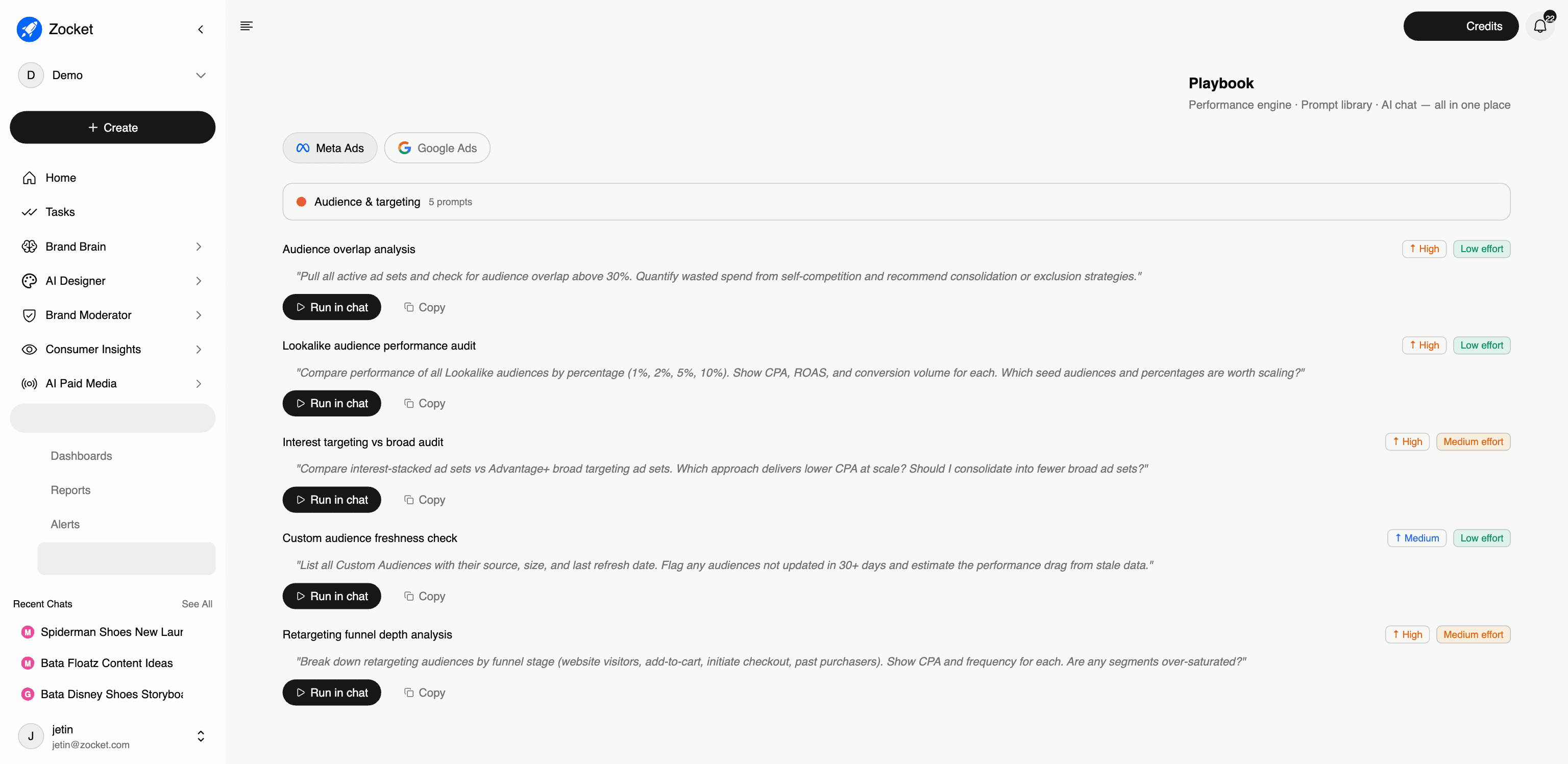
What this does for you: The performance engine, prompt library, and AI chat in one place. Instead of guessing what to ask, you pick from prompts that senior performance marketers actually run, hit "Run in chat," and the analysis runs against your live data. Playbook now sits under Reporting, not inside AI Paid Media, it moved when Reporting became its own top-level section.
Key insights you'll see:
- Platform toggle between Meta Ads and Google Ads, same playbook structure, platform-specific prompts
- Categories along the left: Audience & Targeting, Bidding & Delivery, Creative & Ad Relevance, Post-Click & CVR, Conversion Value, External Factors, Tracking & Attribution
- Each prompt card tagged with expected impact (High / Medium) and effort (Low / Medium) so you can pick high-priority, low-effort first
- Run-in-chat and Copy actions on every prompt
- Example: "Audience overlap analysis, High priority / Low effort: pull all active ad sets and flag overlap above 30%, quantify the wasted spend from self-competition, and recommend consolidation or exclusions"
When to come here: Weekly performance review. Onboarding a new performance marketer. When you suspect a specific issue (saturation, waste, attribution) and want the canonical diagnostic.
The click-path, step by step
1Platform and categories 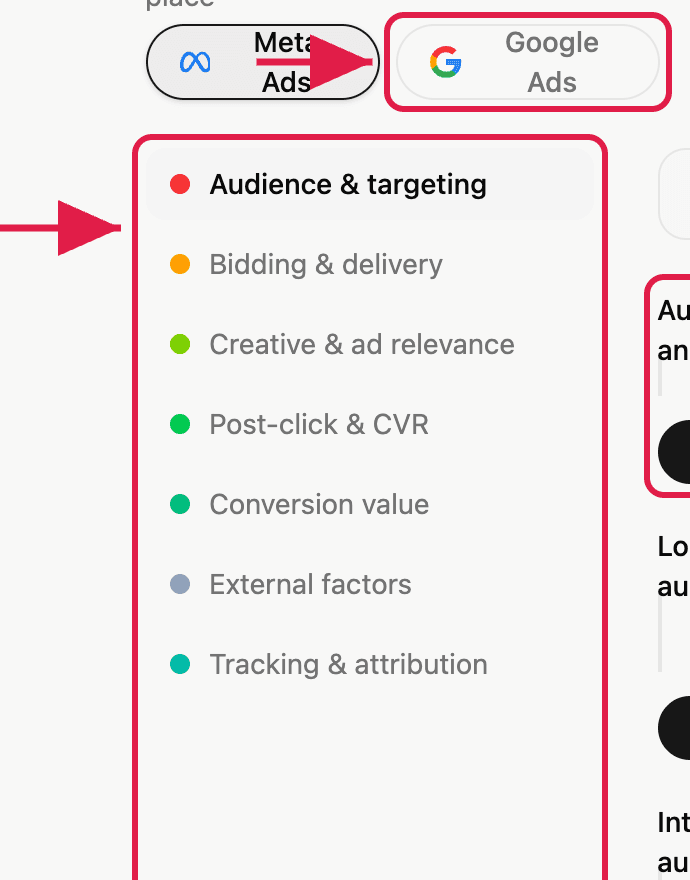
2A playbook prompt 
- AlertsScheduled delivery of reports to the people who need them. Each alert wraps a saved report with a cadence, a channel, and a recipient list, daily or weekly, by email, and keeps a run history so you can prove it actually went out.
- DashboardsLive metric cards built by prompt, across every AI module, not just paid media. Describe the dashboard you want, Zocket builds it, and it stays live. Star the ones you use daily, share them with stakeholders, or open any dashboard back in chat to keep interrogating it.
- ReportsAI-generated performance reports that get saved and can be put on a delivery schedule. Each report is a written analysis against your live accounts, and any report can have an alert attached so it lands in someone's inbox daily or weekly without anyone rerunning it.