/reporting/reportsReports
AI-generated performance reports that get saved and can be put on a delivery schedule. Each report is a written analysis against your live accounts, and any report can have an alert attached so it lands in someone's inbox daily or weekly without anyone rerunning it.
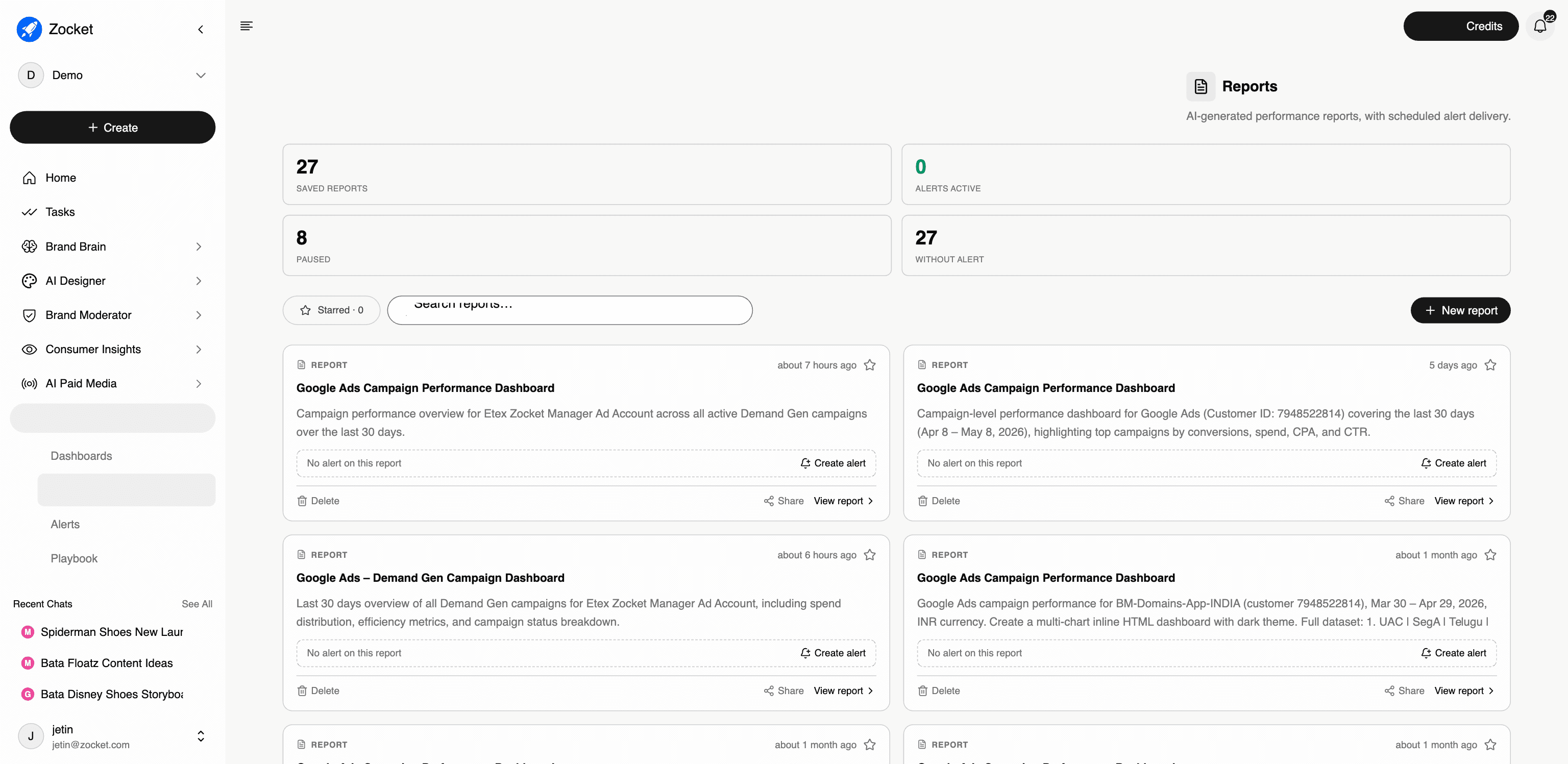
What this does for you: Turns a one-off analysis into a standing deliverable. You generate a report from your connected accounts. It's saved, and then you attach an alert so it's delivered on a schedule. This is the answer to "we rebuild the same performance deck every month."
What's on the screen:
- Four counters across the top: saved reports, alerts active, paused, and without alert: the last one is the useful one, because it tells you which reports nobody is receiving
- A searchable, starrable grid of saved reports. Each with a written description of exactly what it covers (account, date range, metrics)
- Create alert directly on any report that doesn't have one
- Share and View report per card, plus delete
- New report to generate a fresh one
Why it matters: Reports and alerts are deliberately separate objects, the report is the analysis, the alert is the delivery. That means one report can serve several audiences on different cadences, and you can pause delivery without losing the report.
Watch for in demos: A tenant with many saved reports and zero active alerts is a real, common state. It's a good hook ("you've built the analysis, nobody's receiving it") but don't present a paused account as if it's running.
When to come here: Setting up recurring client or leadership reporting. Auditing which reports are actually being delivered. Replacing a manual monthly performance deck.
The click-path, step by step
1Reports landing 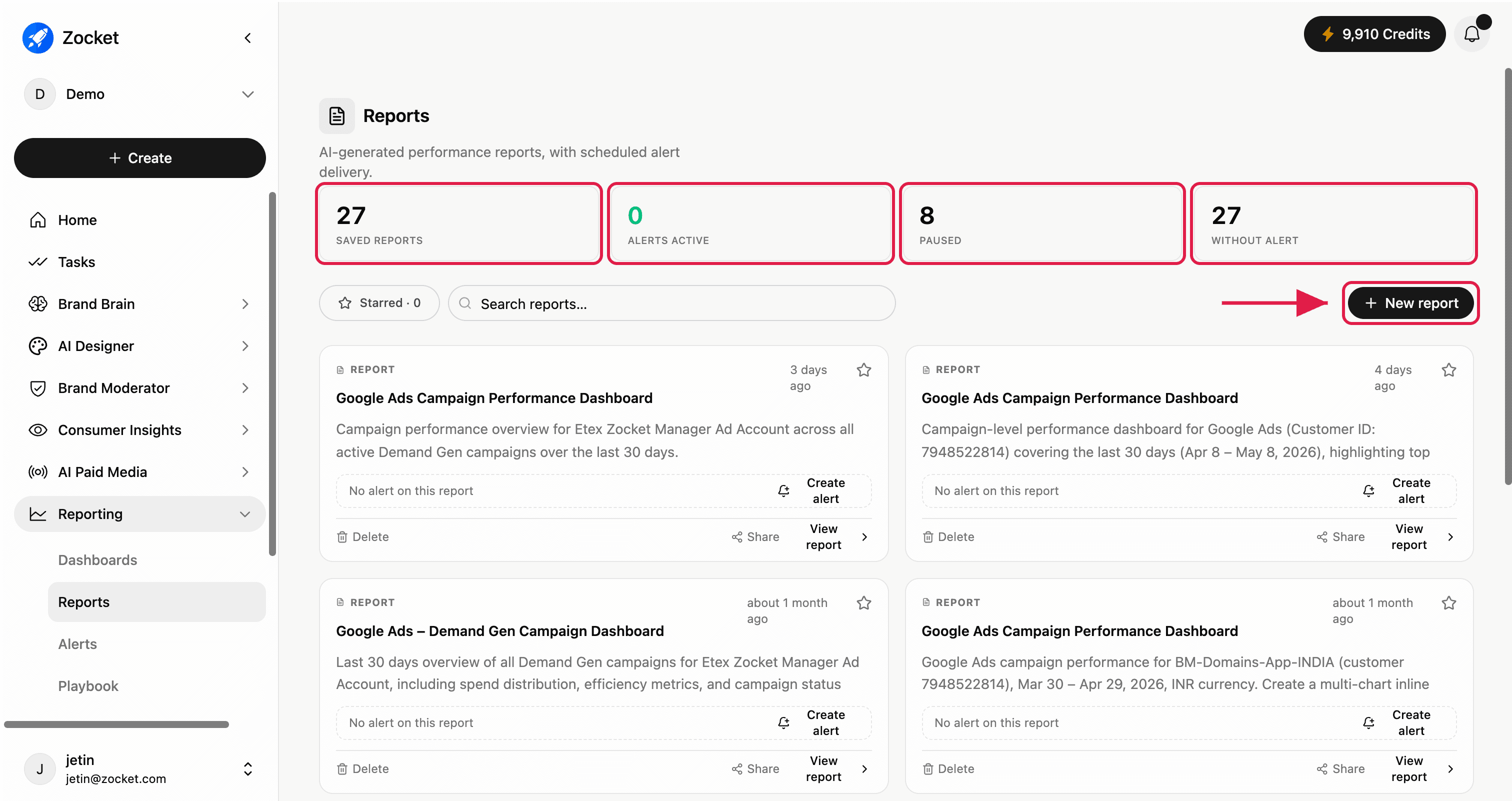
2Report card actions 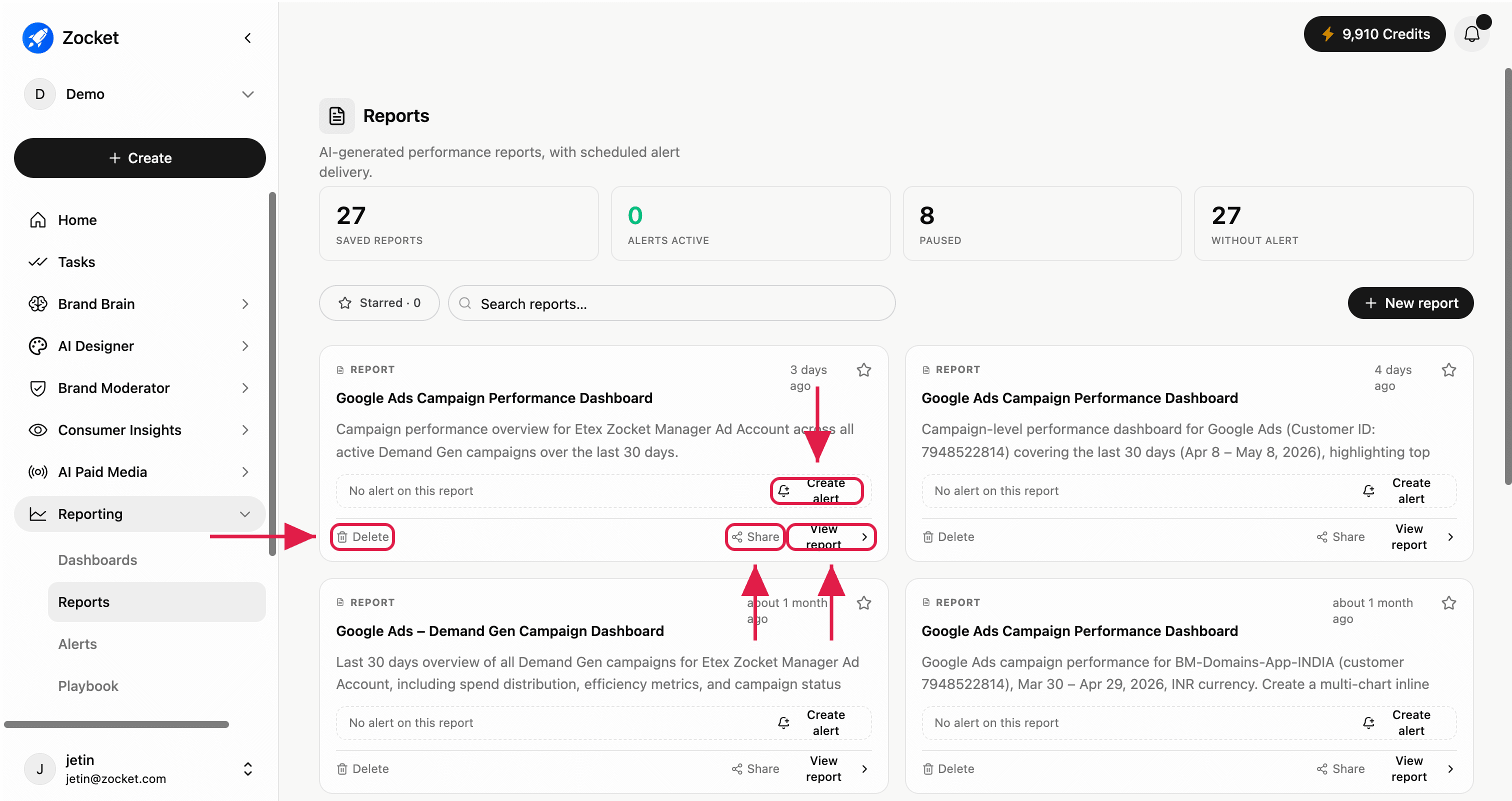
- AlertsScheduled delivery of reports to the people who need them. Each alert wraps a saved report with a cadence, a channel, and a recipient list, daily or weekly, by email, and keeps a run history so you can prove it actually went out.
- DashboardsLive metric cards built by prompt, across every AI module, not just paid media. Describe the dashboard you want, Zocket builds it, and it stays live. Star the ones you use daily, share them with stakeholders, or open any dashboard back in chat to keep interrogating it.
- PlaybookThe performance engine, prompt library, and AI chat, all in one place. A curated set of vetted diagnostic prompts you can run against your connected ad accounts: pick a prompt that senior performance marketers actually run, audience overlap, lookalike health, interest vs broad audit, retargeting funnel depth, hit "Run in chat," and the analysis runs against your live data.